
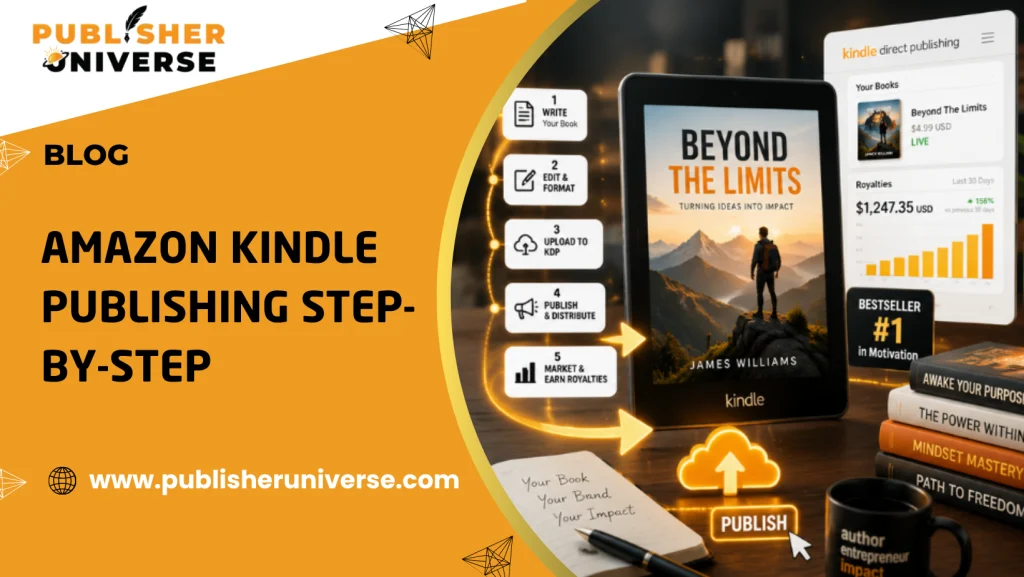
Publish on Amazon Kindle Successfully: The Complete 2026 KDP Guide for Authors
Publishing a book used to require agents, publishers, and long waiting periods. Today, anyone can publish on Amazon Kindle and reach millions of readers worldwide—but most first-time authors still struggle with formatting, setup, optimization, and visibility.
A poorly published Kindle book can disappear in Amazon’s marketplace without getting sales or reviews. This complete Amazon Kindle Direct Publishing guide walks you through every step of Kindle publishing and shows you how to publish like a pro on KDP in 2026.
What Does It Mean to Publish on Amazon Kindle?
To publish on Amazon Kindle means uploading your ebook or paperback through Amazon’s Kindle Direct Publishing (KDP) platform, allowing your book to be sold globally on Amazon.
KDP gives authors full control over pricing, royalties, distribution, and updates without needing a traditional publisher.
Why Amazon Kindle Publishing Matters in 2026
Amazon dominates the digital book market.
Why Kindle Publishing Is Powerful:
- Access to millions of readers worldwide
- High royalty potential
- Fast publishing process
- Full ownership and control
- Low startup costs
For many authors, Kindle publishing is the fastest path to becoming a published author.
What You Need Before Publishing on Amazon Kindle
Preparation is critical.
Before You Start, Have These Ready:
- Final manuscript
- Professionally edited content
- Ebook formatting completed
- High-quality cover design
- Author bio
- Keywords and categories
- Book description
Skipping preparation often leads to poor results.
How to Publish on Amazon Kindle (Quick Answer)
To publish on Amazon Kindle, create a Kindle Direct Publishing account, upload your formatted manuscript and cover, enter book details, choose keywords and pricing, then publish your book through Amazon KDP. Once approved, your book becomes available on Amazon worldwide.
Step-by-Step Amazon Kindle Direct Publishing Guide
Step 1: Create Your Kindle Direct Publishing Account
Visit Amazon KDP and sign in using your Amazon account.
Complete:
- Author information
- Payment details
- Tax information
Accurate setup ensures you receive royalties correctly.
Step 2: Prepare Your Manuscript Properly
Formatting mistakes are one of the biggest reasons books perform poorly.
Best Practices:
- Use consistent headings
- Avoid broken spacing
- Optimize for mobile reading
- Use proper chapter formatting
Professional formatting improves readability and credibility.
Step 3: Design a Professional Kindle Cover
Your cover directly impacts clicks and sales.
Strong Covers Include:
- Clear typography
- Genre-specific design
- High contrast visuals
- Professional layout
Readers judge books by their covers instantly.
Step 4: Add Your Book Details
This includes:
- Book title
- Subtitle
- Description
- Keywords
- Categories
Your metadata strongly affects Amazon visibility.
Step 5: Choose the Right Keywords
Keyword research is critical for discoverability.
Example Keyword Ideas:
- Self-help ebook
- Business leadership book
- Romance Kindle book
- Personal growth guide
Use phrases readers actually search for.
Step 6: Select Categories Strategically
Categories impact rankings and visibility.
Pro Tip:
Choose less competitive but highly relevant categories to improve ranking opportunities.
Step 7: Upload Manuscript & Cover
Amazon checks files for formatting issues during upload.
Double-Check:
- Spacing consistency
- Clickable table of contents
- Cover resolution
- Preview appearance
Always review your book using KDP Previewer.
Step 8: Set Pricing & Royalties
Amazon offers:
- 35% royalty option
- 70% royalty option
Factors to Consider:
- Genre pricing standards
- Competitor pricing
- Audience expectations
Smart pricing improves conversions.
Step 9: Publish Your Kindle Book
After final review, click “Publish.”
Most books go live within 24–72 hours.
Why Kindle Optimization Matters for Sales
Publishing alone is not enough. Kindle optimization improves discoverability, rankings, click-through rates, and conversions. Optimized books perform better in Amazon search results and attract more readers organically.
Optimization Includes:
-
- Strong keywords
- Better categories
- High-converting descriptions
- Professional covers
Visibility drives sales.
Common Mistakes Authors Make During the KDP Process
Avoiding these mistakes can dramatically improve your success.
1. Poor Formatting
Broken formatting reduces reader trust instantly.
2. Weak Cover Design
Low-quality covers hurt click-through rates.
3. Choosing the Wrong Keywords
Generic keywords make ranking harder.
4. Publishing Without Editing
Readers quickly notice errors.
5. Ignoring Book Descriptions
Descriptions directly affect conversions.
How to Write a High-Converting Kindle Book Description
Your description is your sales page.
Best Practices:
- Start with a strong hook
- Focus on reader benefits
- Use short paragraphs
- Add emotional triggers
- End with a CTA
Example CTA:
“Start reading today and discover the strategies that can transform your life.”
Real-World Example: Why Optimization Changes Everything
Author A:
- Generic cover
- Poor keywords
- Weak description
Result:
Minimal sales and visibility.
Author B:
- Professional formatting
- Optimized metadata
- Strong category strategy
Result:
Higher rankings, more reviews, and increased sales.
Small improvements create major differences.
KDP Select vs Wide Distribution
Authors often ask whether they should enroll in KDP Select.
KDP Select Benefits:
- Kindle Unlimited access
- Promotional tools
- Increased visibility
Wide Distribution Benefits:
- Sell on multiple platforms
- Diversified revenue streams
Your strategy depends on your long-term goals.
Advanced Kindle Publishing Tips Most Competitors Miss
Expert Strategies:
- Build an email list before launch
- Collect ARC reviews early
- Optimize your author profile
- Use A+ Content where available
- Study competitor categories regularly
Professional publishing is both creative and strategic.
Why Professional Help Can Improve Kindle Success
Many authors struggle because they try to do everything alone.
Professional Support Helps With:
- Ebook formatting
- Cover design
- Editing
- Keyword optimization
- Publishing strategy
Save Time, Get Better Results with Experts
Why Publisher Universe Is a Smart Choice for Kindle Publishing
Publisher Universe helps authors publish professionally on Amazon Kindle with complete publishing support.
Services Include:
- Ebook formatting
- Ghostwriting
- Book editing services
- Cover design
- Amazon Kindle publishing support
- Marketing assistance
If you’re serious about publishing a high-quality book, Publisher Universe can help you every step of the way.
When It’s Time to Get Professional Publishing Help
Publishing on Kindle is easier than traditional publishing—but succeeding on Kindle still requires strategy, quality, and optimization.
Professional support helps authors:
- Avoid costly mistakes
- Publish faster
- Improve rankings and sales
Need help publishing your book? Explore professional publishing services at Publisher Universe.
Expert Tips for Long-Term Kindle Success
Actionable Tips:
- Publish consistently
- Focus on reader experience
- Optimize titles and metadata
- Invest in editing and covers
- Build your author brand
Successful authors treat publishing like a long-term business.
Final Thoughts
Learning how to publish on Amazon Kindle is one of the smartest ways to enter the publishing industry in 2026. With the right strategy, formatting, optimization, and publishing process, authors can reach a global audience and build long-term success.
The key is not just publishing—but publishing professionally.
Frequently Asked Questions (FAQs)
1. Is Amazon Kindle publishing free?
Yes. Kindle Direct Publishing allows authors to publish books without upfront publishing fees.
2. How long does KDP publishing take?
Most books go live within 24–72 hours after submission.
3. Can I publish both an ebook and paperback on KDP?
Yes. Amazon KDP supports both ebook and print publishing.
4. Do I need an ISBN for Kindle ebooks?
Amazon provides a free ASIN for ebooks, but print books may require an ISBN.
5. How much can authors earn on Kindle?
Earnings vary based on pricing, royalties, visibility, and marketing strategy.
Ready to publish your book professionally on Amazon Kindle?